You might have noticed that I’m the VR guy here at TVGB, especially now that the TVGB Vivestream has returned. I also reviewed the Nintendo Labo Variety Kit when it first came out. So I’m actually surprised it took me so long to volunteer for this review. After a lot of anticipation given the phone-like nature of the Nintendo Switch, plenty of us expected that venerated video game company would jump into the VR game, but I don’t think any of us expected this. The previous Labo kits were mildly successful, but they didn’t make the biggest splash. Between that and the low resolution of the Switch’s screen, I (like most people) had mixed feelings about the idea of Labo VR. And then they announced that it would be compatible with Breath of the Wild, my favorite game of all time. So today, we’re going to talk about the Labo VR Starter Set, as well as its compatibility with Zelda and Mario.

Now, I covered the basic Labo experience in my previous review (see the link above), but I will start by briefly talking about the building and layout. The base kit features the VR Goggles and the Blaster as well as a smaller project called the Pinwheel. All of these are pretty easy to build. The in-game instructions work as well as before and have the same charm, though there are still some changes I would recommend. For one, it would be nice if there was an option to let the instructions play automatically so you could keep your hands on what you’re building. I also still wish it didn’t have to go through creasing every single fold line. But I had little trouble putting the Blaster together, which is by far the most complex build of the set, so it’s not so bad. I admit, though, that there were a few pieces troubling enough that I worried it would break as soon as I started using it. Fortunately, it did not. The Toy-Con is really well designed, as once again the motions and feedback give Labo its advantage over regular motion controls. When you load the blaster, something inside does actually move, and when you fire, it shoots forward. Even the headset works pretty well, although the lack of a head strap was a really bad move. It’s OK when you’re using the Blaster, but when you’re trying to do anything else, you either have to hold the headset in one hand and the controller in the other, or hook the controllers to the side of the Switch while it’s in the headset and play that way.
With that out of the way, let’s talk about the VR functionality. It’s pretty rough, as you might expect. The Switch’s screen lacks the resolution of even a powerful smartphone, let alone something like the Vive. The motion blur probably does help avoid motion sickness, but it can also be disruptive. It’s also important to note that there are no outside motion trackers. That means that while motion controls work fine with the Joy-Con, the games can’t track your position or the relative distance of the controllers. It’s definitely not a fully featured VR system. But it is a good way to try VR on the cheap, beyond what you can do with something like Google Cardboard. As long as there’s good software, one can look past the inadequacy of the hardware given the cheap and easy nature of the system.

On that note, the software that comes with the Labo VR Kit (whether you get the full set or the Starter Set) falls into a few categories. There is a collection of games you can play just with the headset and the Joy Con. Some of these are actually pretty fun. The downside is, these games are very basic; they’re really just low level tech demos at best. The upside is, all of them were made with the game’s build in editor. Using an expanded version of the old Labo Garage programming tool, players can actually move around objects and create their own miniature VR experiments. It isn’t exactly easy, but it’s a cool feature to have, though I wish the built-in games were separate from the editor. There are also a handful of VR videos included, and these are kind of fun. Clearly the devs knew that the low power of the hardware meant that no video would look great, so instead the videos are more about fun than they are about visuals. They’re a nice little bonus addition, especially the one that plays through the opening of a Virtual Boy game.
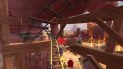
The real games with the Starter Set, though, make use of the Blaster. The main game is simply called Blaster, and involves using the Toy-Con as an energy bazooka to shoot squishy aliens invading a city. There’s not that much detail or depth here (it is still a Labo game), but there is definitely a lot more happening than in the games that came with the Variety Kit. I’ve already had more fun with it than I probably had with all of those games combined. It won’t last you that long, but it’s replayable and it works very well with the aforementioned aspects of the Blaster itself. I really hope Nintendo expands upon this game, either with an add-on or as a standalone release. I would love to see what Nintendo would cook up with any VR-focused AAA game, honestly. This one feels almost like a theme park ride, which is a good thing as far as I’m concerned. My only complaint is that you still have to go to the Exploration section of the software to get any real instructions for some of the features. The other game for the Blaster is Kablasta, a multiplayer puzzle-ish game. Your goal is to shoot fruit at some cute hippos so that they’ll come over to your side of the pool, but there’s actually a fair bit of strategy to it. You can line things up so that one hippo will push in another, or steal from your opponent’s side, for example. Only the active player can see what’s going on, of course, but it’s still a nice addition to the kit.

Kudos to Nintendo for taking the Labo games more seriously this time around, but I think the real draw for a lot of people (myself included) was the announcement that new VR modes would be added to two of the Switch’s best games, Breath of the Wild and Super Mario Odyssey. Temper your expectations, though; these games were not built with VR in mind, so they do not suddenly become VR games with this update. For Breath of the Wild, you can play through the whole game in VR mode. It is pretty cool to see Hyrule up close with 3D visuals, but it doesn’t exactly feel like virtual reality. You can move the camera by turning your head, which helps, but overall it feels more like playing the game in 3D than anything. And don’t get me wrong, that’s not a bad thing. But I think if they just went ahead and added a first person perspective option to go with it, the experience would be so much more immersive, even with the low resolution visuals. As for Mario, rather than presenting the entire game in VR, the new mode features special mini-levels set within three of the game’s kingdoms. There are various minor challenges in these stages, and it’s clear that a lot of them were designed to play with the depth afforded by VR, much like the 3D-focused sections in Super Mario 3D Land. The camera is fixed in these sections to help you feel like you’re really there, though it isn’t that successful. Still, I enjoyed it, thought I would have enjoyed it more if I didn’t have to hold the thing up to my face.
If you have a Switch, I do recommend picking up the Labo VR Starter Set. It won’t add much to existing games, but the raw Labo fun is expanded upon from the earlier kits with games that you’ll actually play more than once, and if you have kids looking for easy VR, it’s a great place to start. It’s no replacement for more dedicated VR hardware, but if you look at it as a fun Labo kit and an easy introduction to VR, the gameplay and the building are enough to justify the $40 price tag. If you want the full experience, you can buy the complete kit, but I would recommend buying the Starter Set first and then ordering the expansions from Nintendo’s online store if you like it. Labo isn’t for everyone, but I do look forward to seeing what Nintendo does next with this experiment of theirs. My hope is that they will eventually make new games in their main franchises specifically for VR. I can dream, right?